Living in a classic New York City railroad apartment offers charm, but the long, narrow floor plan is a nightmare for wireless signals. Thick pre-war plaster walls and long hallways often kill your Wi-Fi before it reaches the bedroom. Setting up a mesh router in a railroad apartment is the most effective way to eliminate these dead zones, provided you understand how to place your nodes correctly. Follow this guide to ensure your signal reaches every corner of your home.
Understanding your signal path
Unlike modern open-concept floor plans, a railroad apartment forces Wi-Fi signals to travel through multiple layers of walls or down a long, obstacle-filled corridor. Your router acts as the base, and your satellites act as relays. If you place your satellites too far apart, the signal will drop, and your devices will struggle to maintain a connection. Aim for nodes to be placed no more than twenty to twenty-five feet apart when solid walls are involved.
The importance of line of sight
Try to keep your primary router near the center of the apartment rather than tucked away in a corner near the front door. Even if your internet connection enters the apartment near the street, use a long Ethernet cable to run the connection to a more central location. A Cat6 Ethernet cable of 25 to 50 feet is often sufficient for most NYC layouts. If you have trouble running cables through tight hallways or around historic molding, you can book tech setup for assistance.
Avoiding signal interference
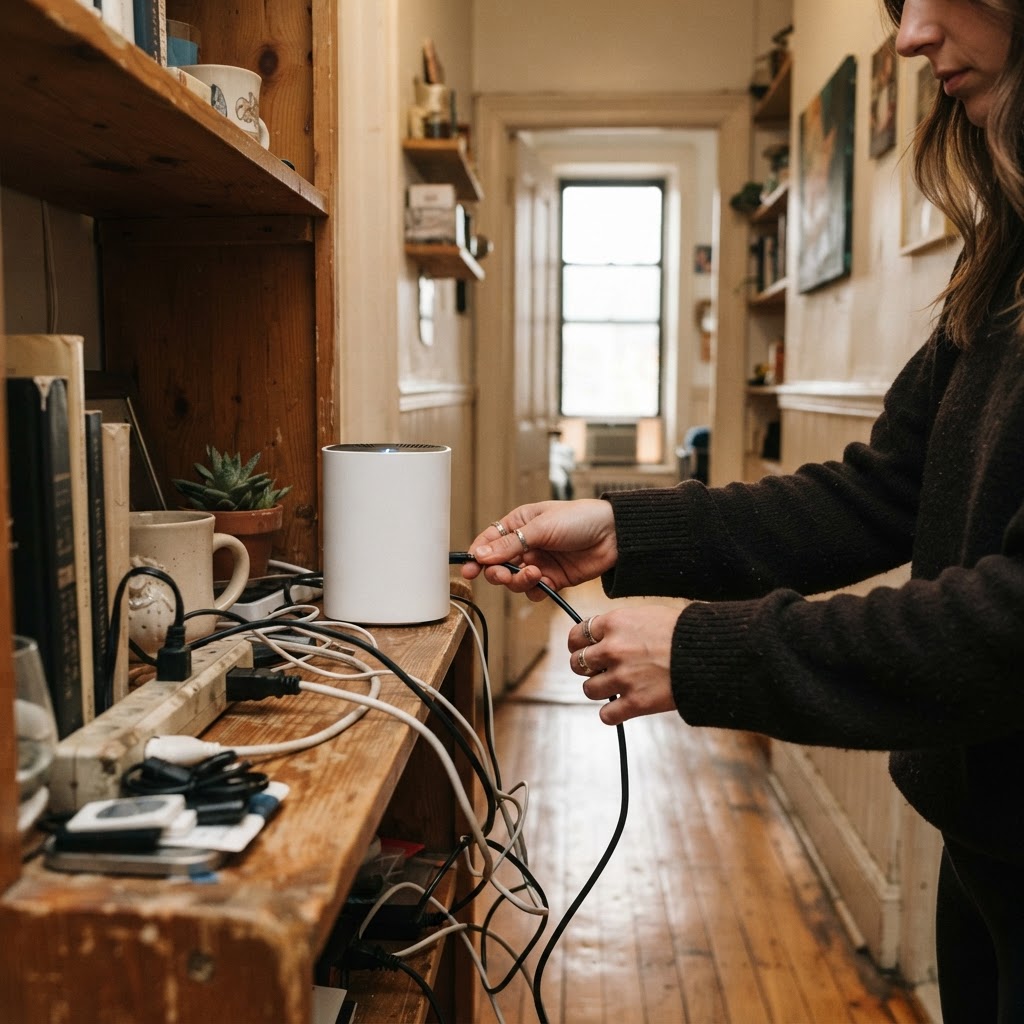
In crowded NYC buildings, you are competing with dozens of other networks. Keep your mesh nodes away from large metal objects like refrigerators or radiators, as metal significantly degrades signal strength. Place nodes on elevated surfaces such as console tables or bookshelves rather than the floor. If you are also setting up a home office, consider how your furniture placement impacts your connectivity. If you need help arranging your desk or storage to optimize signal flow, our team can book furniture assembly to ensure your space is both functional and connected.
Strategic node placement for long layouts
For a standard two or three-room railroad unit, you typically need at least two, preferably three, mesh nodes. Place the first node near your modem. Place the second node halfway down the hallway or in the middle room, and the third in the furthest room. Do not hide your nodes inside cabinets or behind bookshelves. The signal needs to breathe to broadcast effectively. If the network shows a yellow or red light, move the node closer to the primary router by three to five feet until the connection status becomes green.
Navigating building rules and wall mounting
Many NYC pre-war buildings have strict rules about drilling into historic plaster. Before you start mounting hardware, check your lease or building guidelines. If mounting is permitted, use specific anchors designed for plaster rather than standard drywall screws, which will pull out and leave large holes. For a secure connection, verify that the wall does not contain hidden electrical conduits or plumbing lines. You can use a stud finder with AC detection to scan the area before you drill. If you want a clean look without exposed wires, consider using adhesive cable clips along the baseboards to manage your cords effectively.
Long term maintenance and signal stability
Once your mesh network is active, it does not necessarily mean you can forget about it. Over time, neighboring apartments may upgrade their own routers, creating new channel congestion. Most modern mesh systems have an auto-optimization feature, but you should manually trigger a network scan through your router app if you notice consistent drops. Check your connections every six months to ensure no furniture has been moved in front of the nodes. Dusting your devices regularly also helps, as thick dust buildup can occasionally lead to overheating and reduced performance in poorly ventilated NYC apartments.
When to call for professional help
If you find yourself struggling with wall-mounted hardware or if your apartment has complex wiring issues, it is often safer to let a professional handle the installation. Mounting nodes on walls can provide better coverage but requires tools and precision. If you decide to mount your hardware, you can book TV mounting to handle the secure installation of your tech gear.
Sometimes, DIY stops being worth the headache when you are dealing with brittle plaster walls or delicate moldings. If you are spending hours troubleshooting connectivity or struggling with hardware, you can book a handyman to ensure your infrastructure is set up properly without damaging your apartment.
Frequently Asked Questions
How many mesh nodes do I need for a typical railroad apartment?
For most NYC railroad apartments, two to three nodes are sufficient. Two nodes work if your unit is under 800 square feet, but three are usually necessary if you have more than three rooms or thick masonry walls.
Should I mount my mesh nodes on the wall?
Mounting nodes on walls often provides better signal reach because it keeps the antenna clear of furniture. Use a secure mount, especially if you are drilling into plaster, to avoid cracks or unstable hardware.
Why does my Wi-Fi still drop in the back bedroom?
Signal interference from neighbors and physical barriers like doors and bookshelves are likely blocking your Wi-Fi. Ensure your satellite nodes have at least a partial line of sight to the main router to keep the mesh network strong.
Book help in New York
If you need professional assistance installing your networking equipment or handling complex mounting tasks, we are ready to help. You can easily book a handyman to get your smart home running perfectly today.