
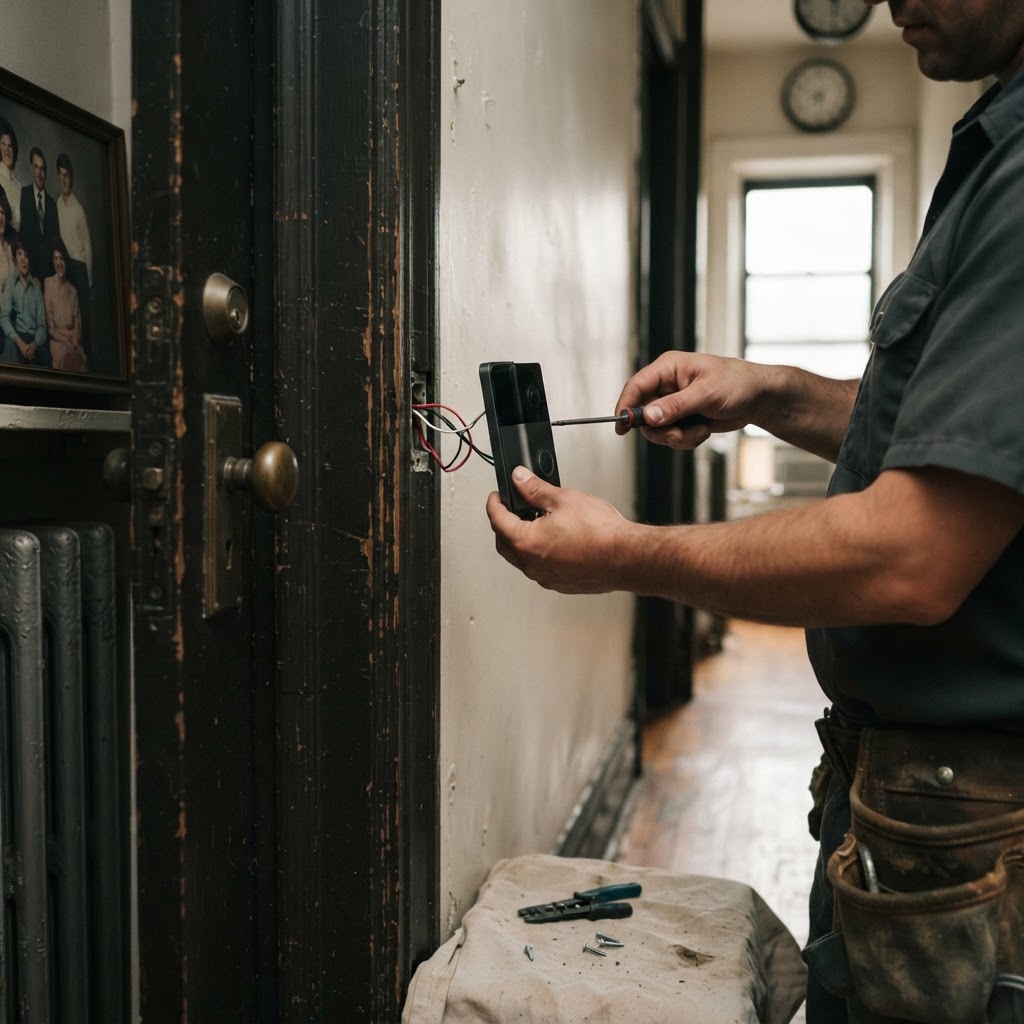
Upgrading your New York City apartment or brownstone with modern security is a smart move, but figuring out the total smart home installation cost NYC professionals charge can feel confusing. When you work with a pro, you are paying for expertise in navigating pre-war walls, tricky wiring, and the specific needs of your building. You can get a clear idea of what to expect by using our instant price estimate tool for your specific project.
Understanding Smart Home Installation Cost NYC Factors
Many factors unique to New York impact the final price of installing a smart doorbell or camera system. In a brownstone, you might be dealing with brick or brownstone facades that require specialized masonry bits and anchors. In a pre-war apartment building, the challenge is often outdated wiring or a total lack of a doorbell circuit. Our handyman services are billed at $85 per hour, which covers the time required to ensure your device is mounted securely and connected properly to your network.
Professionals evaluate the mounting surface first. A doorbell mounted on a standard door frame takes thirty minutes, while one requiring a brick wall drill takes an hour or more due to the precision needed for masonry anchors. We check the transformer voltage inside the unit to confirm it meets the smart device requirements. If the voltage is too low, the device will blink or fail to connect, requiring a transformer upgrade. We perform these tests before finalizing the mount to avoid repeated drilling.
Challenges in Pre-War Buildings
If you live in a classic New York pre-war building, installing a video doorbell can be complex. These buildings often have thick door frames made of heavy wood or metal that require careful drilling. You also need to verify that your current wiring can support the voltage requirements of a modern smart device. If you are also looking to update your living space, you might consider our furniture assembly cost guide to see how our other hourly services are priced for your convenience.
Pre-war framing is often dense and resistant. Pros use specialized high-speed steel bits for metal or carbide-tipped masonry bits for brick. If the doorbell chime is wired into the wall, we check for a working bell transformer. Many pre-war homes have hidden junction boxes behind plaster. We verify the path of the existing low-voltage wire to ensure it is not frayed or brittle from age. If the wire is damaged, we perform a patch or pull new wire, which adds time but ensures reliability.
Building Regulations and COIs
Before starting any installation, check your co-op or condo board rules. Many buildings in Manhattan and the outer boroughs require a Certificate of Insurance (COI) from any service provider entering the building. We are fully insured and understand the high standards required for work in high-rise buildings. If you are coordinating this with other renovations, remember to account for the time your pro will spend navigating freight elevators and sign-in procedures.
Your management office might also restrict where you can mount a device. Some boards prohibit drilling into hallway walls that are considered common property. Always confirm with the super that the exterior side of your door is under your ownership. In high-security buildings, you may need a written letter of authorization. We factor this documentation time into our professional approach to ensure your installation meets all building codes.
Managing Wireless Connectivity and Signal Stability
NYC apartments often suffer from significant signal interference. With dozens of neighbors running their own Wi-Fi routers, the 2.4GHz band is frequently congested. This causes cameras to drop connection or display jerky video. A pro will test the signal strength at the doorway before completing the mount. We suggest placement that keeps the camera as close to your internal router as possible.
If your doorway is far from the living room, we recommend installing a Wi-Fi extender or a mesh node nearby. During the setup process, we check for proper signal frequency, usually opting for 5GHz if the range allows, as it provides a clearer feed for high-definition video. We also configure the smart app settings to optimize motion sensitivity, preventing the system from triggering alerts every time a neighbor walks past your apartment door.
Long-Term Maintenance and Device Care
Once installed, you must maintain your smart device to ensure it continues to function through harsh New York winters. We recommend cleaning the camera lens every few months to remove city soot and grime. Check the mounting hardware every six months, especially on doors that slam shut, as vibrations can loosen screws over time. If you use a battery-powered unit, charge it during the winter months when extreme cold drains battery life faster.
For hardwired units, if you notice the device resetting randomly, the transformer may be failing. Have a professional check the voltage periodically. Keeping the app software updated is also critical for security patches. If you ever notice the device becoming loose or if you plan to move, contact us to properly uninstall the system, patching and painting any holes to ensure you leave your apartment in good condition for the next tenant.
When to Hire a Pro vs DIY
If you have a modern build and a simple doorbell circuit, you might be tempted to do the work yourself. However, if you are mounting cameras on stucco, brick, or through heavy metal door frames, it is often safer to call a professional. Improper installation can lead to damaged walls, exposed wires, or devices that fall off after a few weeks. If you also need assistance with moving items or heavy lifting to clear space for your project, you can book moving help to ensure your apartment is ready for the installation.
Frequently Asked Questions
Do I need to provide my own mounting hardware?
While many smart devices come with basic mounting kits, your pro may need specific hardware for NYC surfaces like brick, stone, or metal frames. It is best to have the device and the included kit ready, but our pros come prepared with standard tools and common fasteners.
How long does an average camera installation take?
A standard smart doorbell installation typically takes one to two hours depending on the mounting surface and wiring configuration. If you have multiple cameras or need to troubleshoot a poor Wi-Fi signal at your door, the time may increase.
Are there hidden fees for building insurance requirements?
We provide professional service with transparent pricing. If your building management demands specific insurance documentation like a COI, let us know at the time of booking so we can handle the administrative details without delaying your project.
Book help in New York
Ready to get your smart home security setup correctly? You can get an instant quote right now to see the exact price for your specific installation needs.